
Bed is Cleared (Draft)
What it does
When a print completes, PrinterMon flips the printer's state to Complete and swaps the green Print button on the row for a yellow Bed is Cleared button. The button is a gate. Until you click it, PrinterMon won't let you start a new print on this printer from the dashboard. It blocks accidental restarts on top of a still-on-the-bed part.
Step 1. Clear the bed physically
Complete State
After the print finishes, the Status badge reads Complete and the yellow Bed is Cleared button appears in Actions. Take the finished part off the bed.
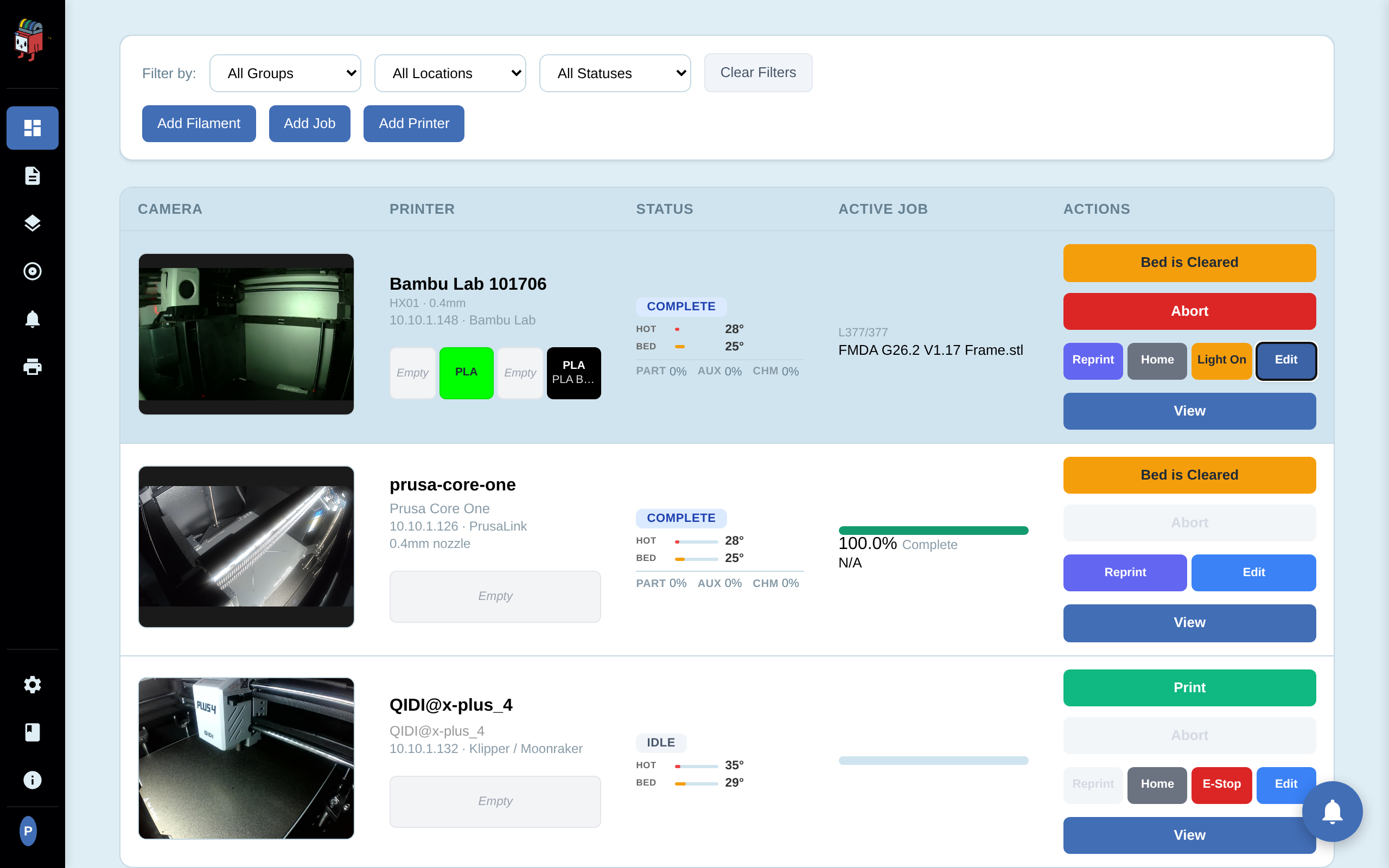
Step 2. Click Bed is Cleared
Reset to Idle
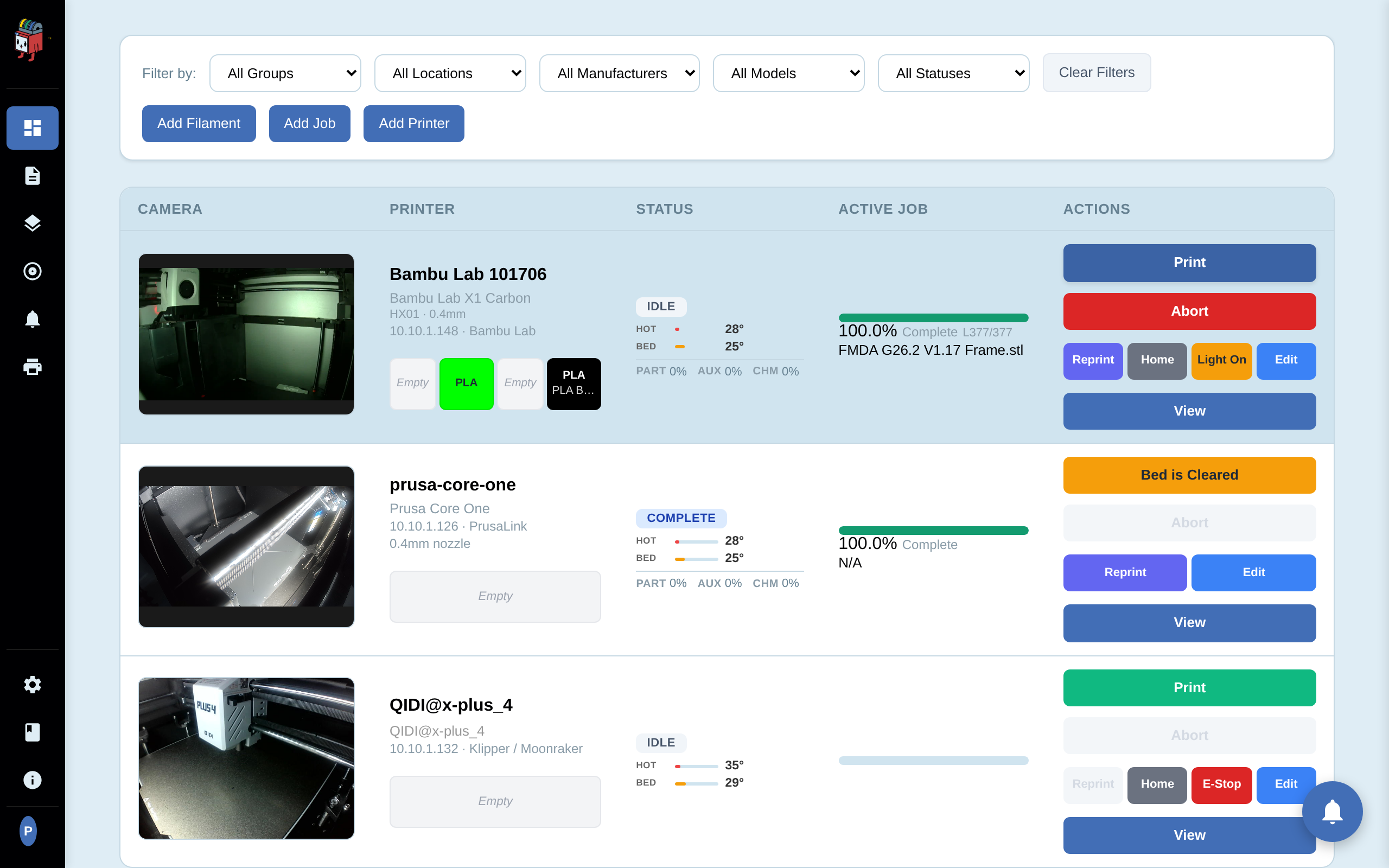
Click Bed is Cleared. PrinterMon flips the cached state from Complete to Idle. The yellow button disappears and the green Print button comes back in its place. The Active Job column stays populated with the same filename — Reprint is still available, just no longer the only option.
What it does not do
Bed is Cleared is a PrinterMon-side state flip. It does not:
- Send any G-code to the printer.
- Auto-start the next job in a queue. PrinterMon does not have a job queue. The next print starts when you (or the slicer push) tells it to.
- Modify the printer's own state. The printer doesn't know you pressed the button.
If you start a print before clearing
You can't — that's the whole point. The green Print button is replaced by Bed is Cleared specifically to prevent that. The Reprint button stays available because Reprint is an explicit, intentional action, not the default Print path.