
Settings: Activity Logs
Activity Logs is the running journal of everything PrinterMon does and everything users do on this node. Every print start, every API call from a slicer, every settings change, every failed login attempt, every notification dispatch — it all lands here. The viewer is filterable and paginated.
Logs Tab
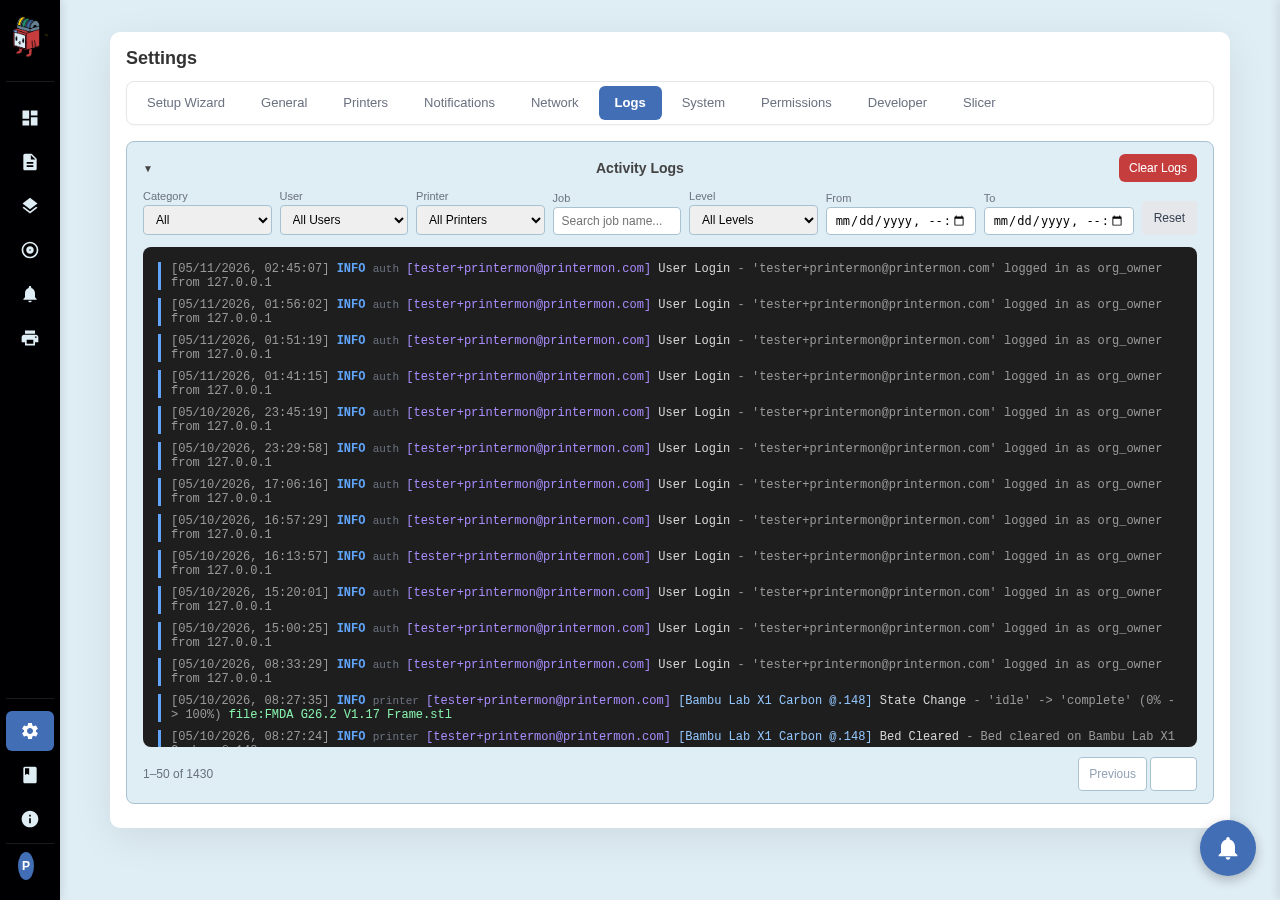
Settings > Logs. The whole tab is the logs viewer.
Filters
- Category. Group by area: Printer, Backup, Restore, Login, etc.
- User. Filter to actions taken by a specific user.
- Printer. Show only events for one printer.
- Job. Substring match on the filename.
- Level. Info / Success / Warning / Error.
- From / To. Time range, datetime picker for precise windowing.
- Reset. Clear every filter and reload.
Filters are AND-ed: setting Printer + Level=Error shows only errors for that printer.
Pagination
Previous and Next page through the log database. The count on the left shows current range and total. Logs are kept indefinitely; the only way to remove them is the Clear Logs button at the top right of the card (permission-gated, irreversible).
Reading log entries
Each entry has a timestamp, level (colour-coded), category, and the message body. The viewer uses a dark monospaced theme to make it easy to scan. Click into an entry to copy its text.