
Settings: Modules & Plugins
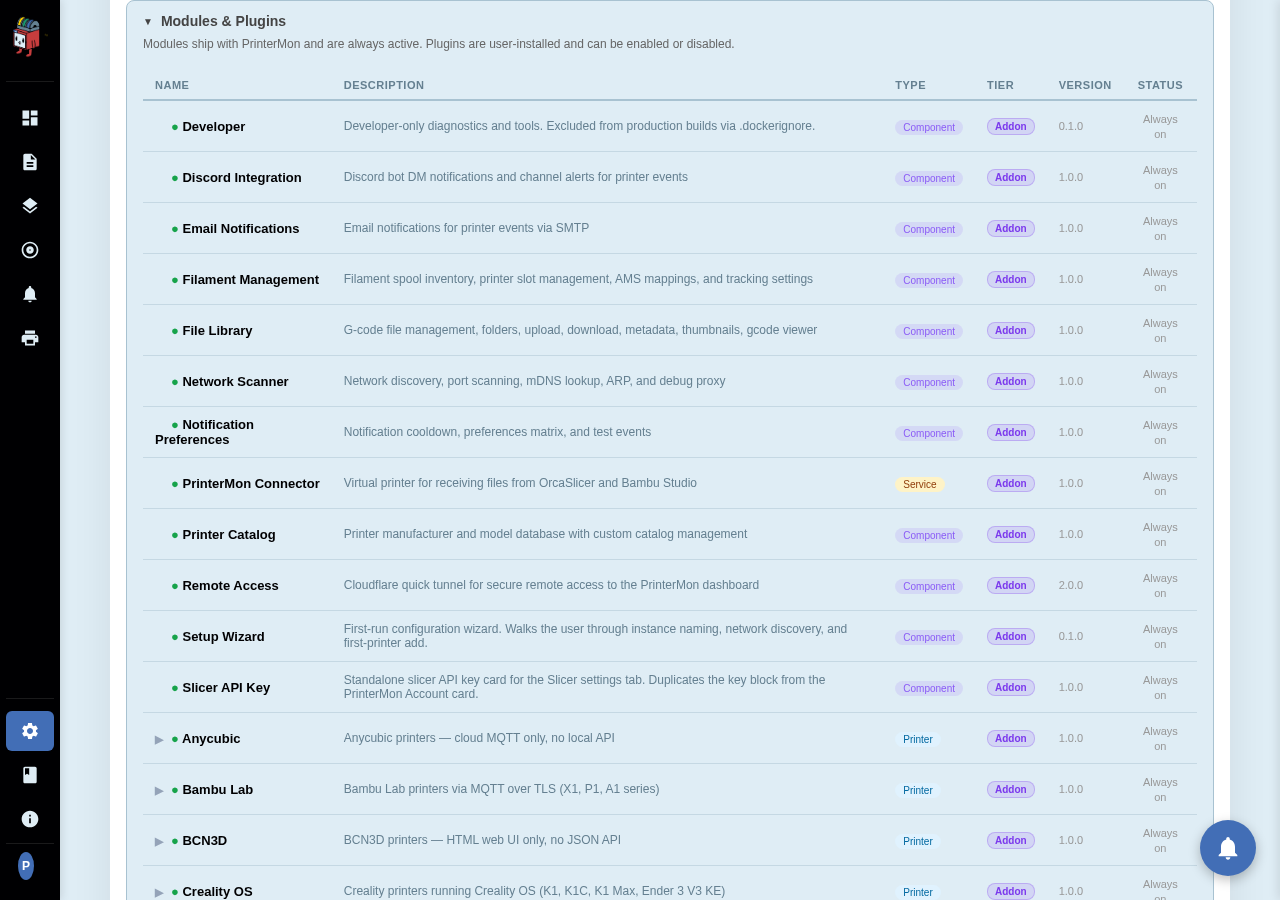
PrinterMon is built out of modules. Some ship as part of the core image (Network Scan, Filament Mgmt, Discord, Notifications, Setup Wizard, etc.) and cannot be disabled. Others are user-installed plugins. The Modules & Plugins card shows what's loaded and lets you toggle plugins on or off.
Modules Card
Settings > System > Modules & Plugins.
Modules vs. plugins
- Modules. Ship with PrinterMon. Always active. They can't be disabled because removing them would break parts of the dashboard. Their row in the table is informational only.
- Plugins. User-installed. Have an Enable/Disable toggle. Toggling off unregisters the plugin's routes and UI without removing it from disk; toggle back on to restore.
What each module does
Most module names map directly to the doc you'd look up to understand them: filament_mgmt backs the Filament tab and inventory, discord backs the Discord notification panel, network_scan drives Add Printer, remote_access the Cloudflare tunnel, etc. The description column in the card gives a one-line summary; for depth, look up the relevant feature doc.
Rate this page