
Settings: Notification Events
Notification Events controls which print and printer events fire notifications, on which channels (Discord, Email, Webhooks, in-app alerts). The card has a global rate-limit setting at the top and an event matrix below where you toggle each event × channel combination.
Card Layout
Settings > Notifications > Notification Events. Set up Discord (see <a href="/docs/enable-discord-notifications">Enable Discord Notifications</a>) and Email (<a href="/docs/enable-email-notifications">Enable Email Notifications</a>) before configuring this card — channels that aren't configured show as inactive.
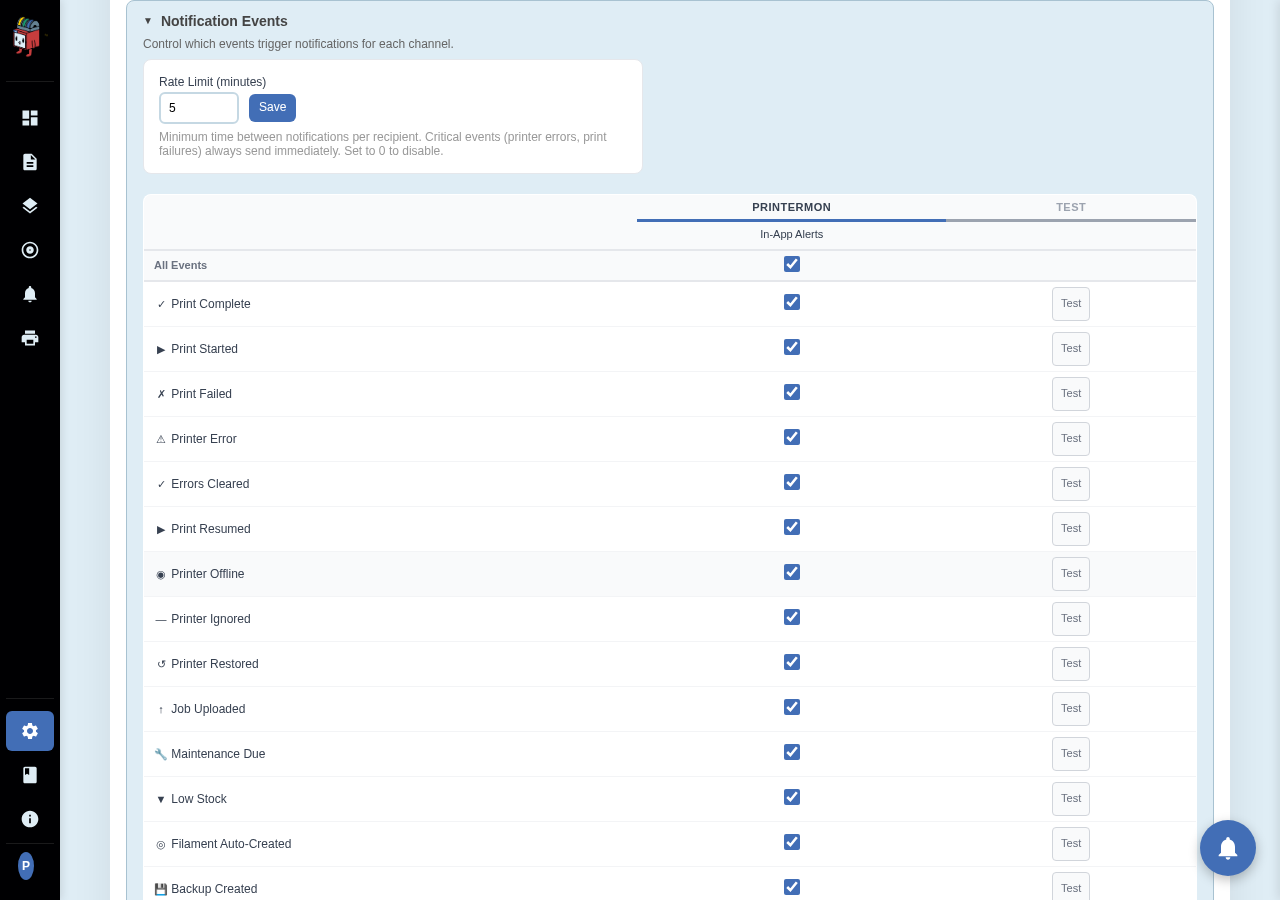
Rate Limit
The Rate Limit (minutes) value is the minimum interval between non-critical notifications for the same recipient. The default is 5 minutes. Critical events — printer offline, print failed — always send immediately regardless of the rate limit. Set to 0 to disable rate limiting entirely.
Event matrix
The matrix has one row per event type and one column per configured channel. Tick a cell to enable that event on that channel. Typical event types include:
- Print started
- Print complete
- Print failed
- Print cancelled
- Printer online / offline
- Filament low (when tracking is on)
- Bed cleared
Changes save as you tick. There's no separate Save button.