
Setup Wizard
The Setup Wizard is a 10-step checklist that walks a new PrinterMon node from "freshly installed" to "ready to print". You don't have to use it — every step has a normal home elsewhere in Settings — but it's the fastest way to make sure nothing is missed on first boot.
Setup Wizard Tab
Open Settings and pick the Setup Wizard tab. The header shows your progress (e.g. "3 / 9 complete"). Each step is a numbered card; click into a step to perform it. Completed steps stay marked green.
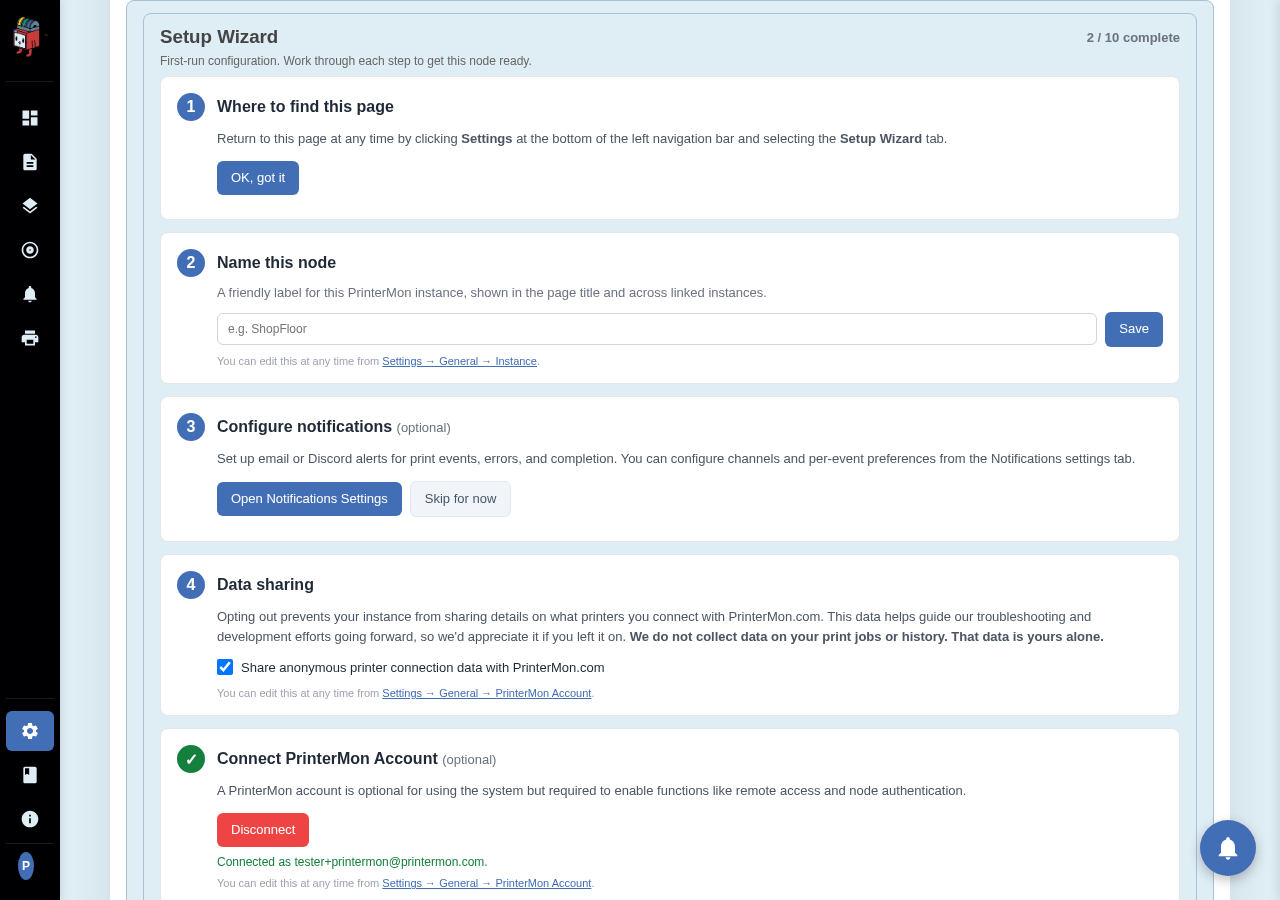
The ten steps
- Where to find this page. Click "OK, got it" to acknowledge that you can return here at any time via Settings > Setup Wizard.
- Instance name. Set a friendly label for this node (Home Lab, Workshop, Garage). Shown in the page title and in your printermon.com node list.
- Notifications. Pick which print events generate alerts (start, complete, fail, etc.).
- Data sharing. Decide whether to share anonymous printer-firmware connection data to help guide PrinterMon's roadmap.
- Connect account. Sign in with your printermon.com account so the node is associated with an organization.
- Browser authentication. Require members to log in to access this node's dashboard.
- Remote access. Enable a Cloudflare tunnel for off-LAN access.
- First printer. Add at least one printer via Network Scan, IP Scan, or Manual Entry.
- Connect slicer. Wire your slicer (OrcaSlicer, PrusaSlicer, etc.) to push G-code straight into this node.
- Upload a file. Confirm the file library works by uploading a G-code or 3MF file.
Each step has its own snippet under the docs index covering it in detail. The wizard's job is to nudge you through the right order; the docs cover the depth.
Rate this page