
Settings: Tag Management
Group and Location are two free-text labels you can attach to a printer (in Add Printer or Edit Printer). They're used to filter the dashboard, the file library, and the alerts. Tag Management is the global registry: you can review every tag value you've used, rename them in one place, or pre-create tags before you have a printer to attach them to.
Group and Location Tags
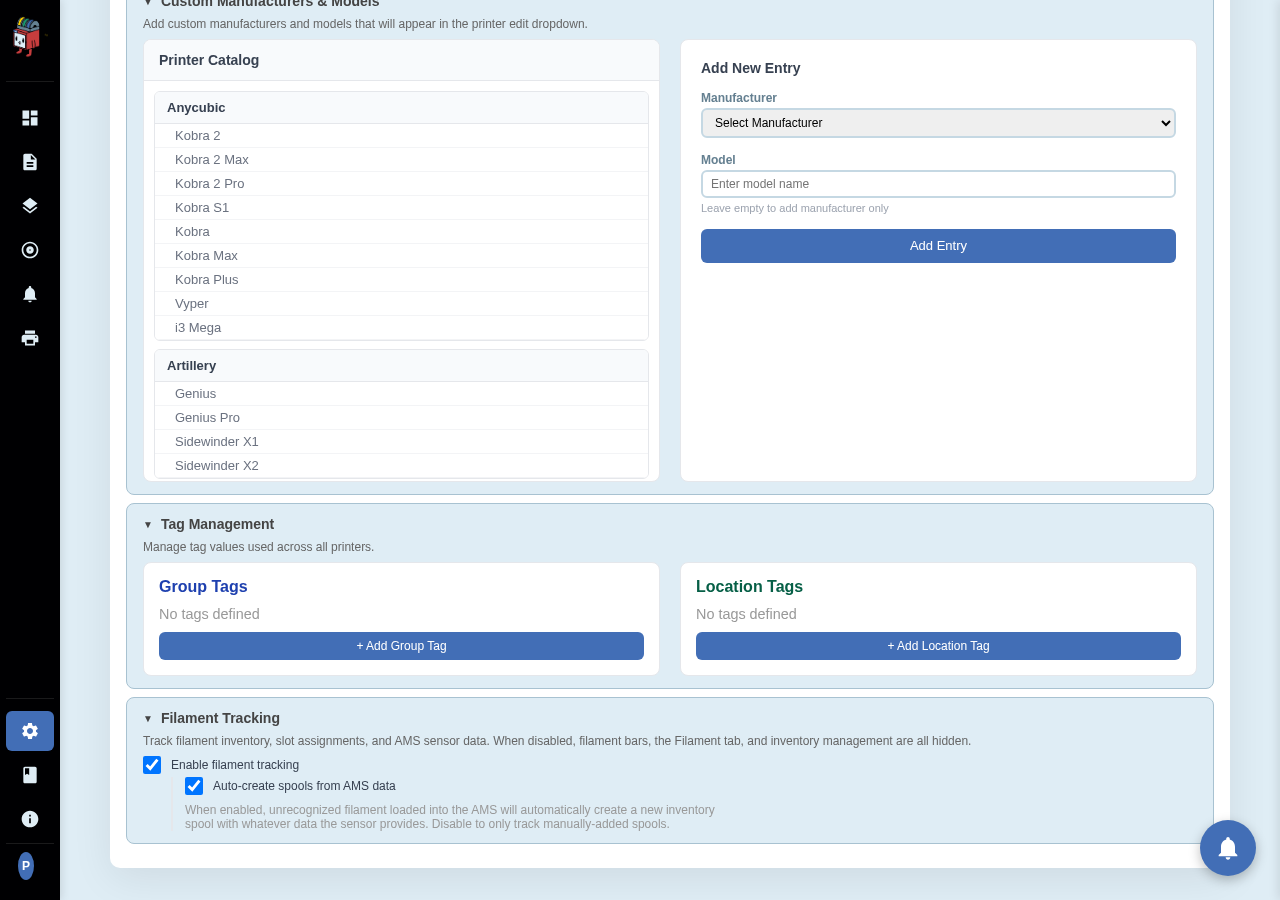
Settings > Printers > Tag Management. Two panels: one for Group, one for Location.
Working with tags
- + Add Group Tag / + Add Location Tag. Opens an inline input. Type a value and confirm. The tag is now available in every printer's Group/Location dropdown.
- Rename a tag. Click the tag pill in the list. Every printer that uses the tag is updated in one go.
- Delete a tag. Click the X on a tag pill. The tag is removed from every printer that had it; those printers fall back to no Group/Location.
Naming conventions
- Group is loose — anything you want to bucket printers by (Filament Type, Project, Owner). Many users put printer-purpose here: "Prototyping", "Production", "Spare".
- Location is physical — where the printer is. Building, room, shelf. Pairs well with Group for finding-the-right-printer flows.
Rate this page