
Unlink Your Node (Draft)
What unlinking does
Unlinking detaches this node from its printermon.com organization. The cloud side stops seeing the node and its printers. Active user sessions on the node are cleared. The node's local services keep running — printers stay connected, jobs stay in the library, the dashboard still works on the LAN — but no printermon.com user can sign in until the node is re-linked.
Step 1. Open the Unlink dialog
Unlink Button
Click Settings in the sidebar. On the General tab, scroll to the Account section. Beneath the Organization details there are two buttons: Logout and Unlink Node. Click the red Unlink Node button.
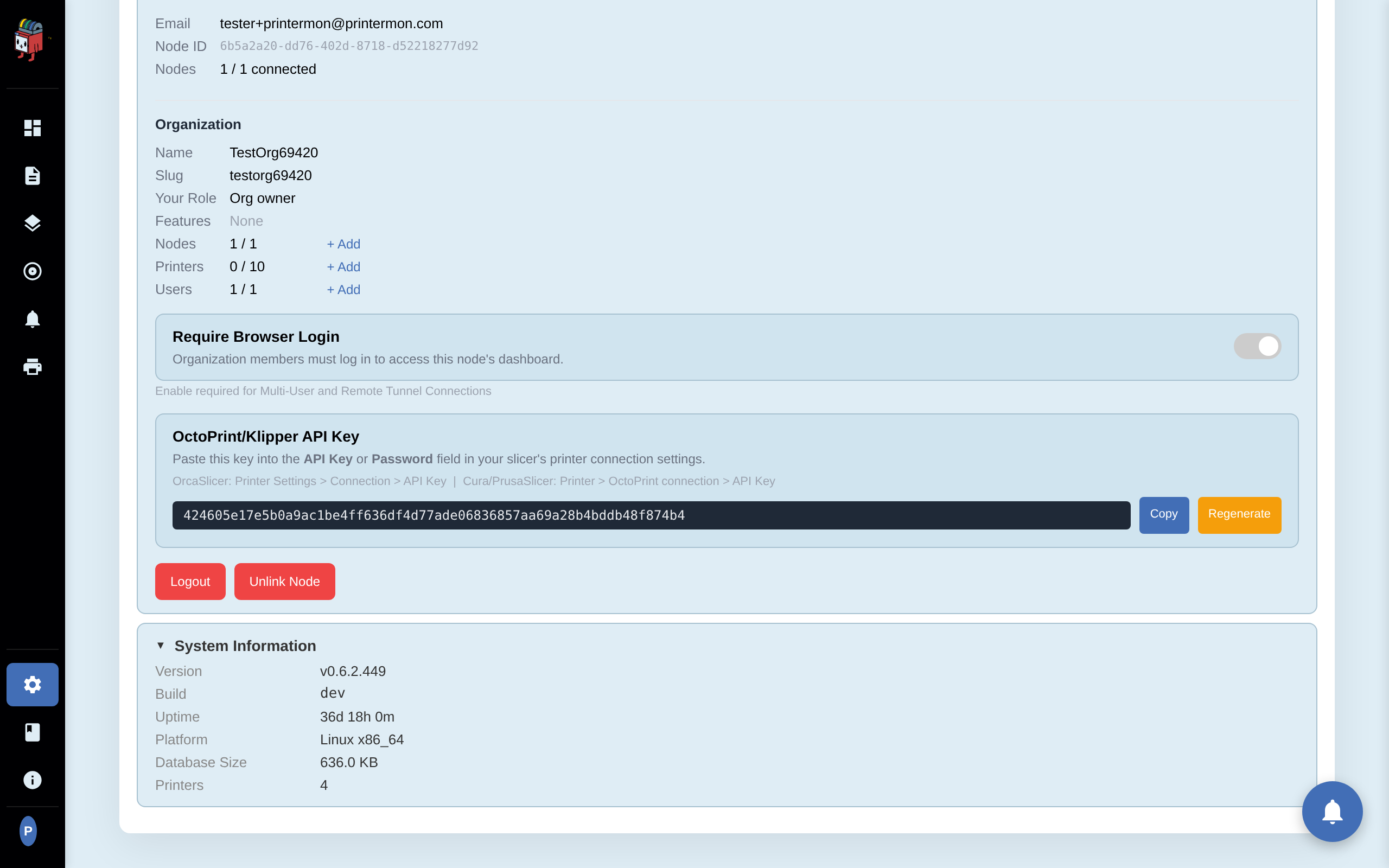
Step 2. Confirm credentials and choose data handling
Unlink Modal
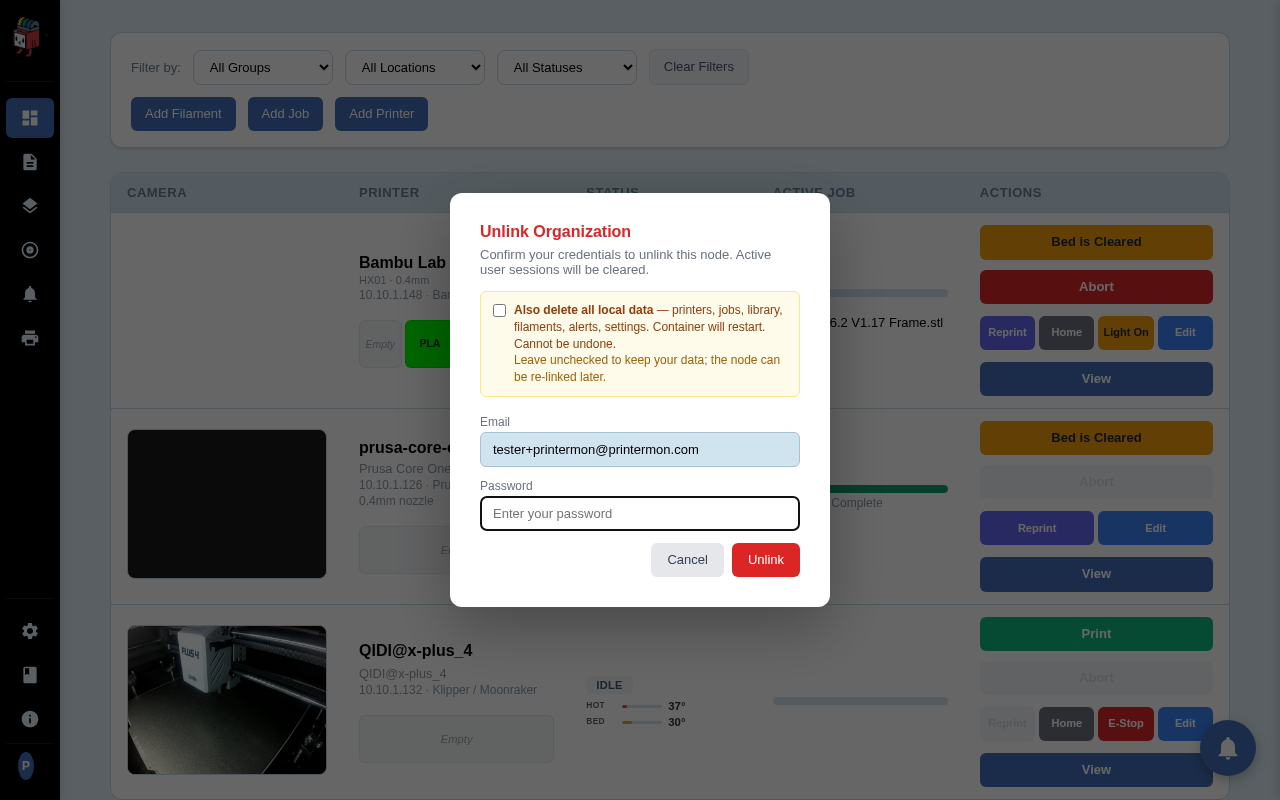
The Unlink Organization modal opens. Re-enter the account owner's password to authorise the action. The Email field is pre-filled and read-only.
The Also delete all local data checkbox controls whether everything on the node is wiped on unlink:
- Unchecked (default). The org link is removed and active sessions are cleared. Printers, jobs, library, filaments, alerts, and settings all stay. Re-linking later restores cloud-side visibility without losing local data.
- Checked. All local data is wiped (printers, jobs, library, filaments, alerts, settings) and the container restarts. The node comes back up looking factory-fresh. Equivalent to running Factory Reset and unlinking at once. Cannot be undone.
Step 3. Unlink
Click Unlink. PrinterMon verifies the password, removes the org link, then runs the chosen post-unlink action (just-logout, or wipe-and-restart). The browser redirects to /. You're now signed out.
After unlinking
- The node's dashboard is open again (no Browser Login can be required without an org).
- The printermon.com side no longer lists this node under its previous organization. Cloud-only features (Multi-User, Remote Tunnel) are off.
- The slicer API key still exists in the node's database (if you kept data), but it's not enforced (Browser Login is off after unlink). Slicers can talk to the node without it.
- If you didn't wipe data: re-linking later (any account, any org) picks up the existing printers and library.
When to unlink vs. just log out
- Logout. Ends your browser session but keeps the org link. Use when you're stepping away.
- Unlink without wipe. Use when moving the node to a different org or when retiring the cloud link but keeping local data.
- Unlink with wipe. Use when giving the node away, selling it, or starting completely over.